Filtering and Sorting
Making product discovery faster, clearer, and easier to navigate across category and search results pages
Role
UX/UI Designer
Timeline
5 Months
Cross-functional partners
Product, IT, DevOps, Category Analyst, Research
Scope
Filter/Sort, Visual Navigation , Pagination
01 / OVERVIEW
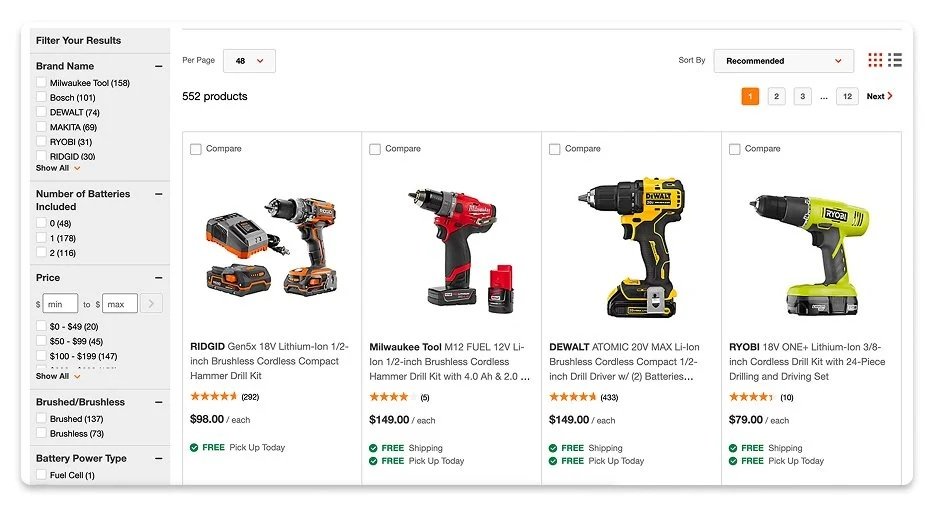
Imagine trying to buy a simple light fixture on an app, only to be met with a sidebar list of filters so endlessly long that it literally stretches past the bottom of the webpage. To make matters worse, once you finally scroll, hunt, and click a filter, the UI gives you absolutely zero confirmation that anything happened. No visual feedback, no active status, just a long, frustrating guessing game.
This was the exact reality our users were facing on The Home Depot Canada's Product Listing Pages (PLPs). Our Voice of the Customer (VOC) data was screaming that our filtering system was broken, janky, and outdated. We were actively making it harder for customers to find what they wanted to buy, which meant we were leaking conversions at a critical stage of the shopping funnel.
As the lead designer on this initiative, I knew we couldn't just patch up the existing UI. We needed a complete architectural overhaul. My mission was to design a clean, responsive filtering and sorting framework that scaled seamlessly from a spacious desktop layout down to a compact mobile bottom sheet, utilizing a unified set of reusable components.
The goal wasn’t just to make it look pretty; it was a direct play to slash cognitive load, build a scalable design system asset, and seamlessly funnel users toward checkout to drive a major lift in conversion.
02 / Problem
Rethinking Discovery
Customers depended on the product list, filters, and sort controls as one system, but the experience did not always support quick comparison or confident refinement. Long or inconsistent facet lists increased cognitive load; mobile filtering could make applied selections difficult to review; sorting did not always reflect the attributes customers cared about; and visual-navigation patterns competed for limited space above the product grid. The result was avoidable scanning effort and extra movement between listing and product-detail pages.
I approached the redesign as a connected product-discovery system rather than a set of isolated controls. I mapped the end-to-end refinement journey, identified high-friction moments by device, and evaluated how filtering, sorting, visual navigation, product cards, and underlying data affected one another. Concepts prioritized clear hierarchy, visible system status, lower interaction cost, and consistent behaviour across PLP and SRP. I iterated with research, product, and engineering partners to balance customer needs with page density, performance, and implementation feasibility.
03 / DESIGN
Desktop Solution
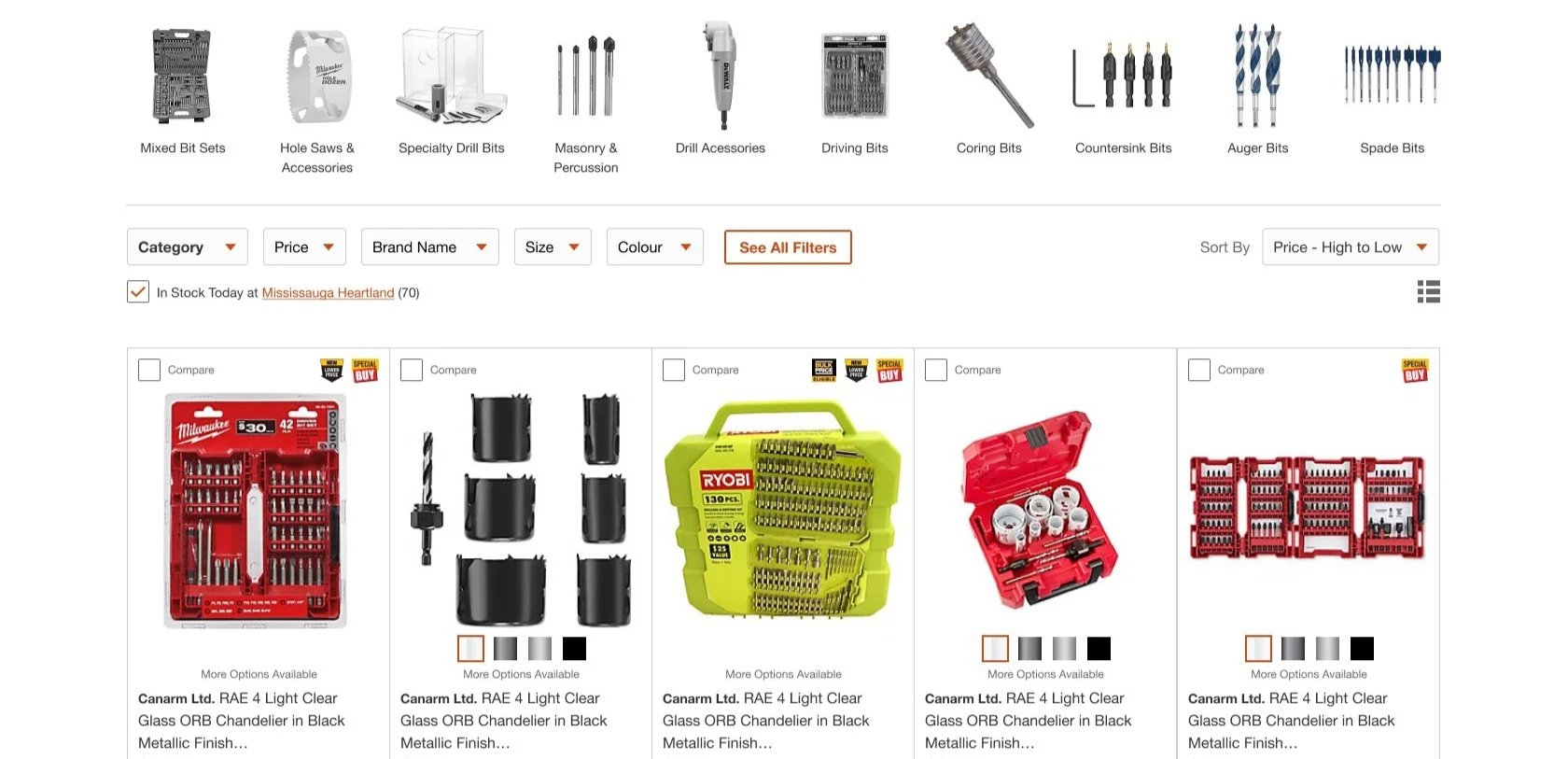
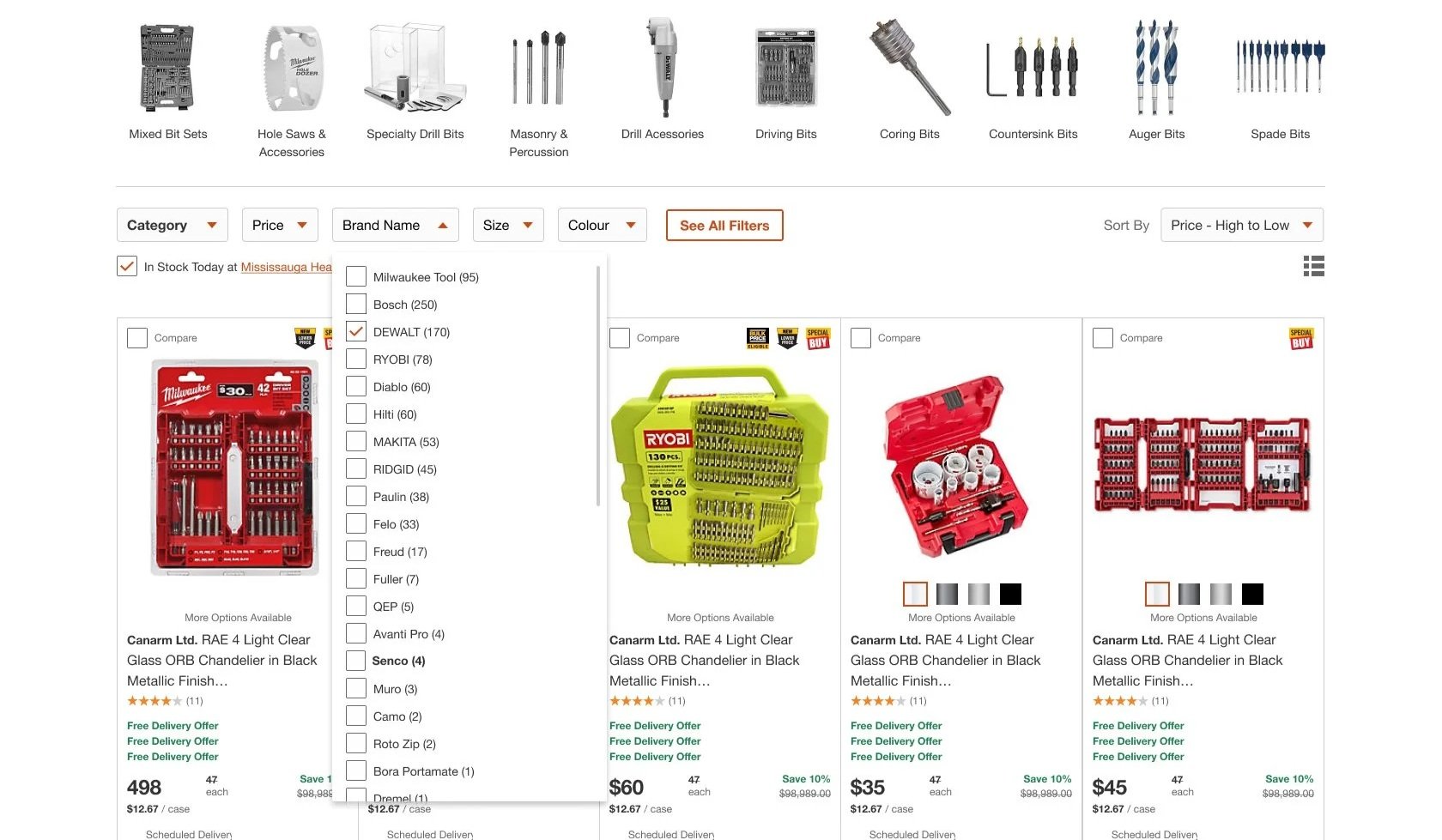
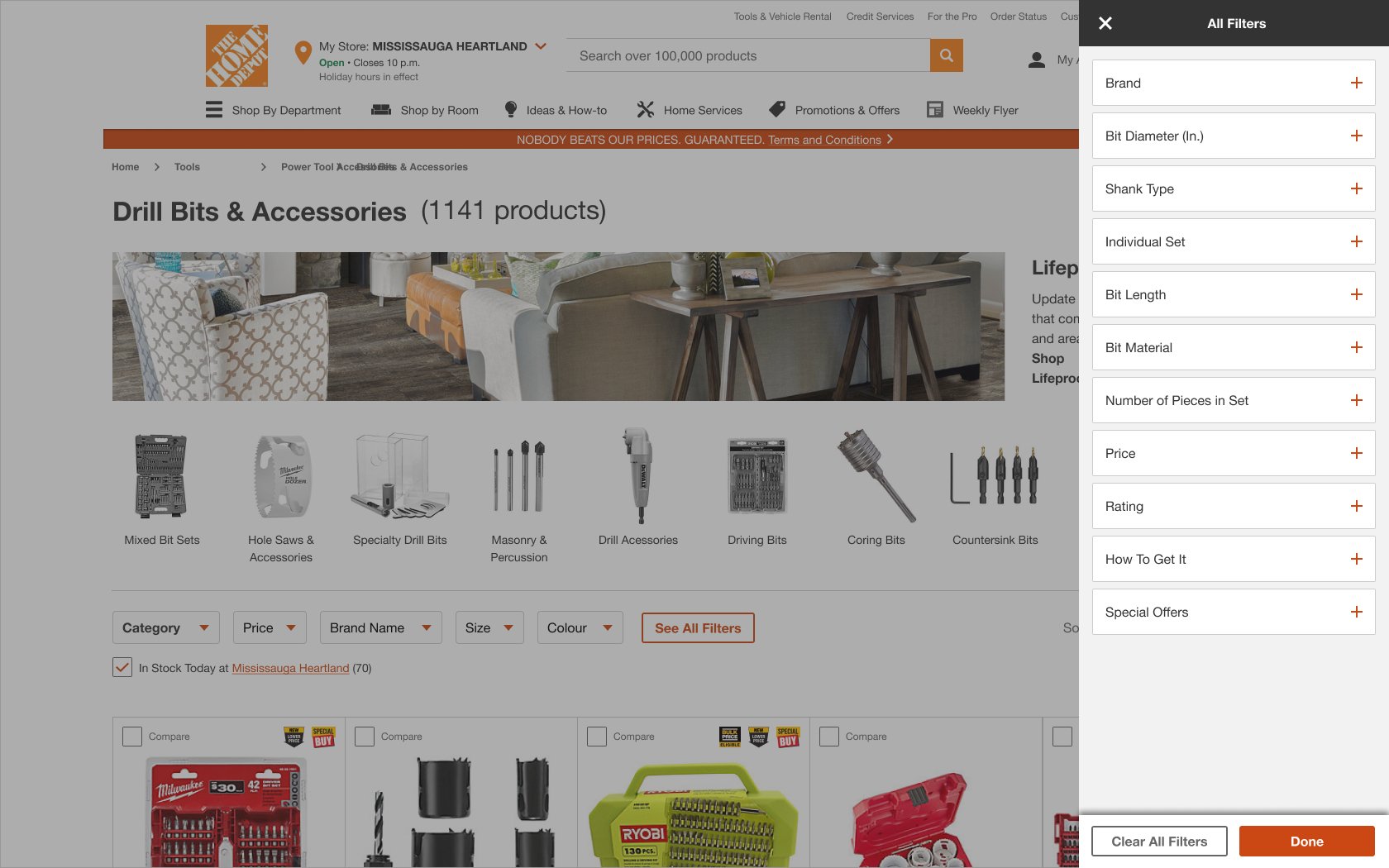
Transitioned from a left-rail filter model to a top-aligned filtering system using dropdown categories for primary filters.
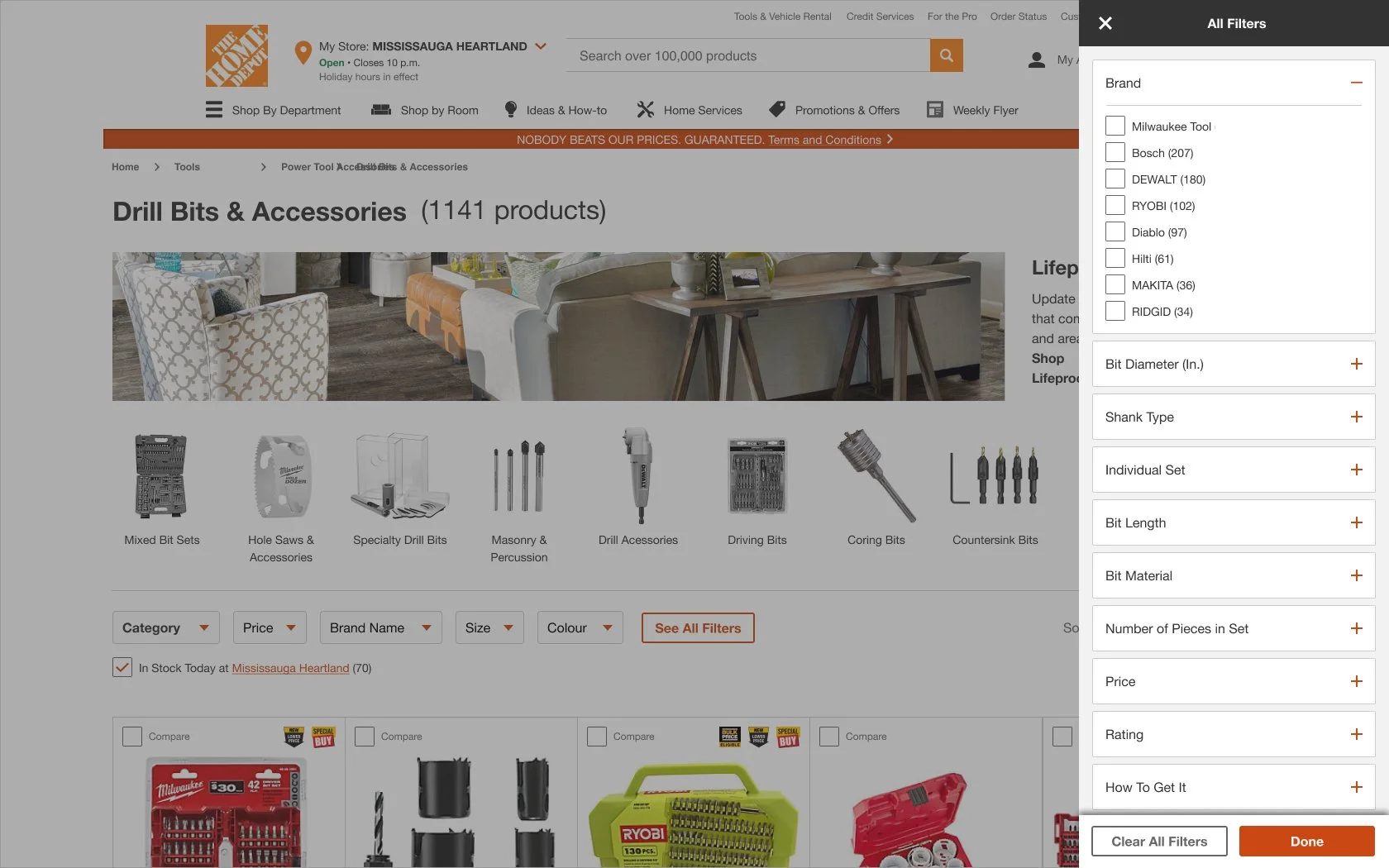
Introduced a “See All Filters” side-drawer panel to expose the full taxonomy without overwhelming the main interface.
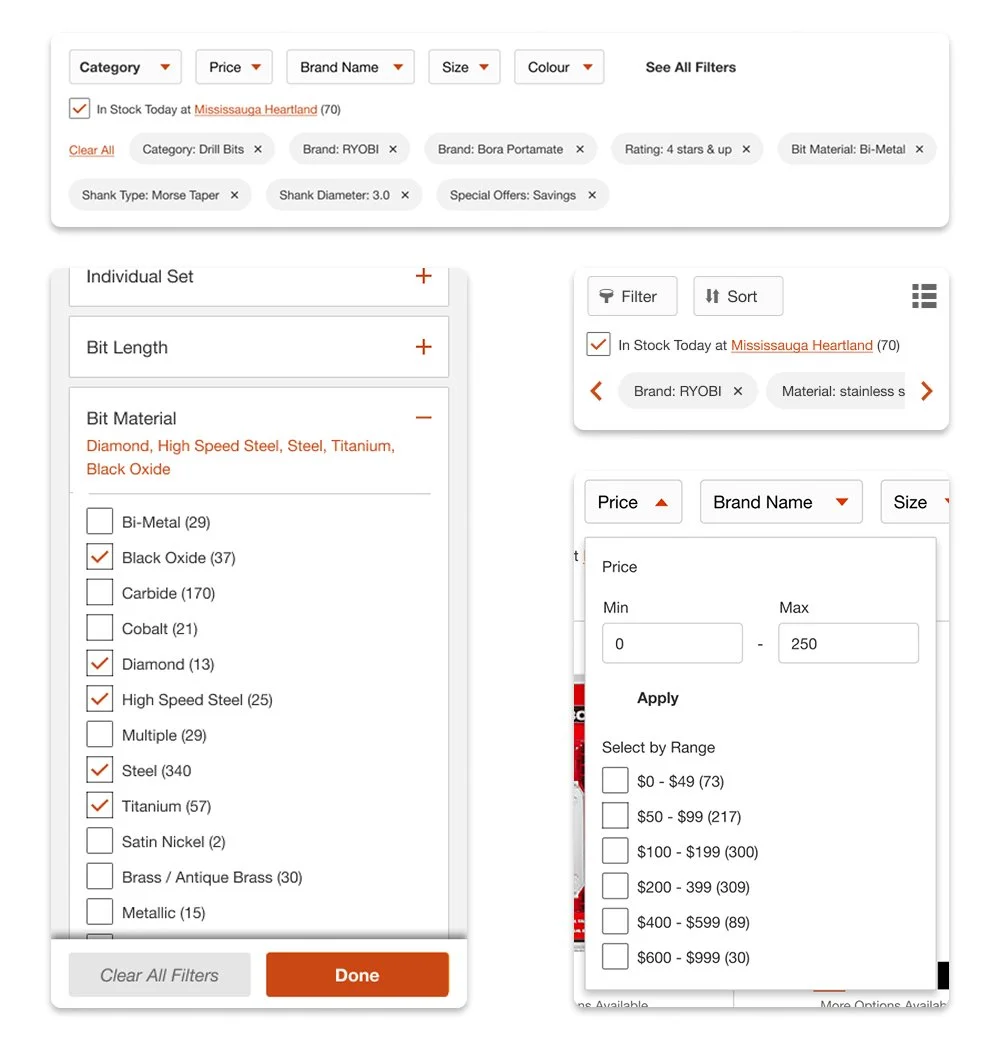
Established chip component to selected filter states and defined them in the side-drawer panel with the option to “Clear All Filters”, ensuring users can edit selections at all touch points.
Designed progressive disclosure patterns to reduce cognitive load while maintaining depth.
Ensured AA accessibility compliance across breakpoints, including keyboard navigation and focus states.
Addressed IT and performance constraints by balancing product capacity with pagination rather than infinite scroll to maintain page performance.
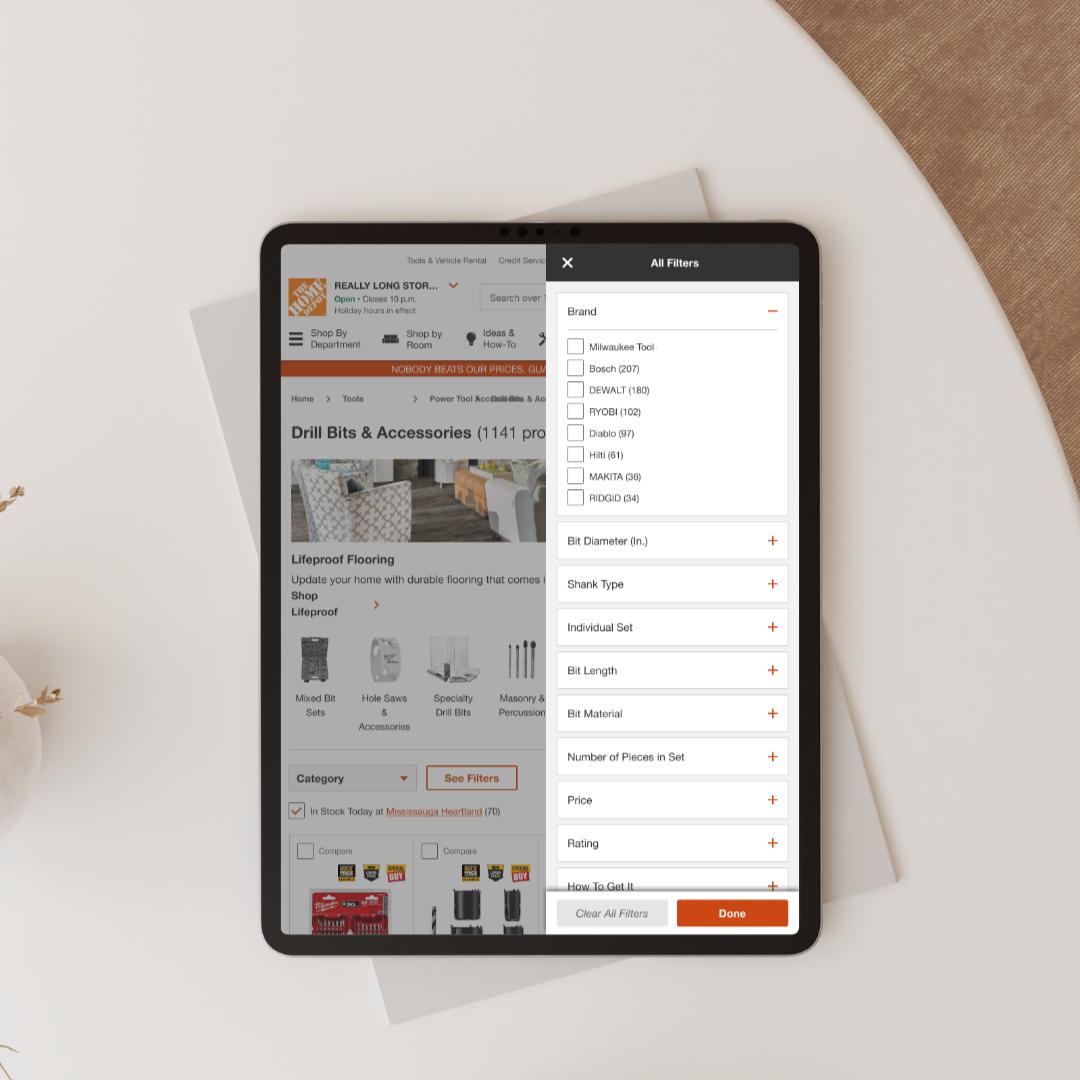
Mobile + Tablet Solution
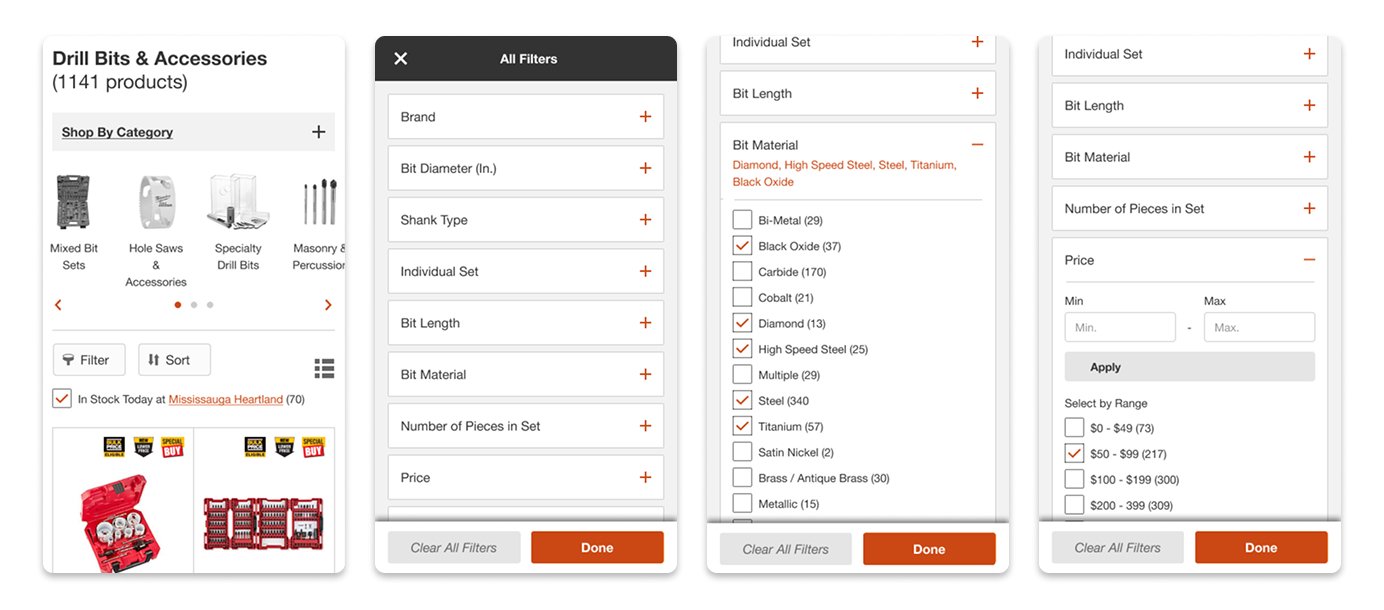
Consolidated stacked categories into an accordion.
Updated visual navigation UI and addressed accessibility issues.
Optimized mobile with dedicated filter and sort entry points for improved ergonomics and clarity.
Redefined the filtering menu for ease of use.
Design System Contributions
Introduced reusable components that expanded beyond PLP/SRP and are now leveraged across the platform:
Filter dropdown components
Applied filter chips
Side-drawer framework
Mobile filter and sort controls
Validation & Impact
User testing confirmed improved clarity, learnability, and efficiency of the new filtering system.
Increased engagement with filtering tools and improved task completion rates.
Contributed to higher add-to-cart interactions following launch.
Established a scalable foundation for future navigation and discovery improvements, including subsequent header redesign work.
04 / TAKEAWAYS
Iteration Opportunities
Adding long list search in filter drop-downs
Adding visual filters in filter drop-downs
Increase facet engagement on mobile by updating filter and sort buttons and implementing a sticky facet
Updating pagination styling and interaction